
TL;DR

Get your wardrobe favorites delivered free with Prime
- Fast, free delivery on millions of items
- Prime Video, Amazon Music and more included
- Member-only deals all year
Building your own AI workstation used to be cheaper, but in 2026, prebuilt systems often match or beat DIY costs thanks to component shortages and bulk buying. The real decision now hinges on control, speed, and how much effort you want to invest in tuning and maintenance.
Imagine standing in front of a wall of shiny computer parts, wondering if you should spend weeks building your own AI powerhouse or just order a ready-made system. That choice has become more complicated than ever. With component shortages and prices soaring, the old rule — build cheaper, buy faster — no longer holds. Now, your decision depends on more than just dollars. It’s about control, risk, and how quickly you need results.
In this guide, I’ll break down what it really means to build versus buy a high-power AI workstation in 2026. You’ll learn how market shifts, your workflow, and your expertise shape the best move. By the end, you’ll see that the question isn’t just about cost — it’s about what you want to own and how much time you want to spend tuning your machine.
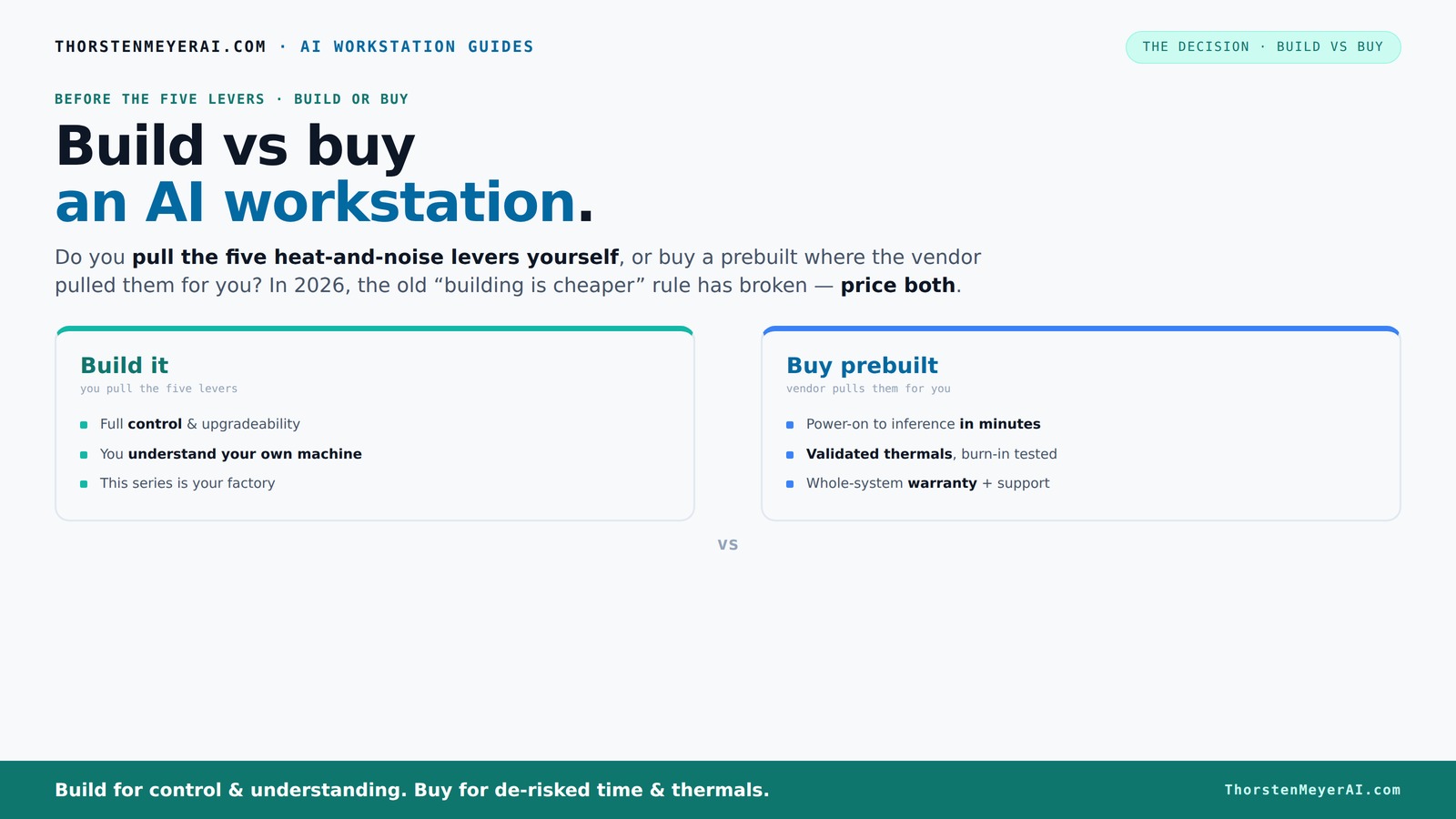
Build vs buy
an AI workstation.
The real question behind this whole series: do you pull the five heat-and-noise levers yourself, or buy a prebuilt where the vendor pulled them for you? And in 2026, the old “building is cheaper” rule has broken. Match your situation in Part 3.
Why Building Your Own AI Workstation Costs More Than You Think (In 2026)
Building your own AI rig was once the budget-friendly choice. But today, the landscape has flipped. Component shortages have driven prices for GPUs, DDR5 RAM, and SSDs sky-high — often 20-30% more than just a year ago. For example, a high-end GPU like the RTX 4090 was around $1,500 in 2025. Now, it can hit $2,000 or more.
Meanwhile, big manufacturers bought in bulk before prices spiked. They can offer systems at prices that are nearly impossible for DIY builders to match, especially when you factor in the time spent sourcing, testing, and tuning parts. The classic "build is cheaper" rule has become a myth in 2026.
So, if you're thinking about building, you need to price out your parts carefully. For a system with a multi-GPU setup, the total cost can easily climb over $4,000 — a number that a prebuilt from a top vendor might match or beat.
high performance AI workstation prebuilt
As an affiliate, we earn on qualifying purchases.
As an affiliate, we earn on qualifying purchases.
How Prebuilt Systems Save You Time and Hassle (And Why That Matters)
If you're aiming to get your AI project running fast, prebuilt workstations cut through the clutter. They arrive with everything pre-installed — CUDA, PyTorch, TensorFlow, and Docker — ready to go out of the box. No sourcing, no BIOS tweaks, no driver battles.
For example, a professional AI researcher might need a multi-GPU rig for training models. Building that from scratch could take months of trial-and-error tuning. But a vendor like Lambda or Puget guarantees the system has been tested under load, with optimized fan curves, validated thermals, and a warranty.
That means you spend less time tinkering and more time training models, which can be worth thousands of dollars in lost productivity. If your workflow depends on quick deployment, prebuilt is a clear winner.
As an affiliate, we earn on qualifying purchases.
Control and Customization: Why Building Still Matters
Building your own AI system means you control every detail. Want a specific cooling solution? Choose a quiet GPU or a custom water-cooling loop? No problem. You can optimize for noise, temperature, and power exactly as you see fit.
For example, a data scientist who prefers a near-silent setup might undervolt and water-cool their GPU, achieving 30% lower noise levels. They pick the case, fans, and airflow layout, creating a machine tuned precisely for their environment.
But this control comes with a price: the time, effort, and expertise required to do it right. Plus, if something breaks or needs upgrading, you’re on your own — or you need to learn how to fix it.
In short, building is about owning your workflow’s unique needs, not just saving money.
professional AI workstation build kit
As an affiliate, we earn on qualifying purchases.
As an affiliate, we earn on qualifying purchases.
When Does Buying Make Sense? 4 Clear Scenarios
- You need to deploy fast. If your project timeline is tight, prebuilt rigs get you up and running in days or weeks, not months.
- You want reliability and support. Vendors validate thermals, run burn-in tests, and stand behind their hardware — giving you peace of mind during critical training runs.
- You’re tackling complex multi-GPU setups. Vendors like Lambda optimize power and cooling for multi-GPU configs, reducing the risk of throttling or overheating.
- The cost math favors it. With component prices soaring, prebuilt options often match or beat DIY costs, especially when factoring in time and risk.
For example, a startup needing a multi-GPU system for prototyping might find a prebuilt from Lambda or BIZON faster and more cost-effective than sourcing parts and building from scratch.
prebuilt AI workstation with RTX 4090
As an affiliate, we earn on qualifying purchases.
As an affiliate, we earn on qualifying purchases.
When Is Building Still the Better Choice? 4 Key Reasons
- You love tinkering or have the skills. If you enjoy optimizing systems and solving hardware puzzles, building provides freedom and learning opportunities.
- You need a custom hardware setup. Maybe you want a specific CPU, RAM configuration, or specialized cooling that isn’t available in prebuilt options.
- You’re working on a proprietary or sensitive project. Owning the hardware stack helps with compliance, data privacy, and security concerns.
- You aim for maximum upgrade flexibility. Building allows you to expand or replace components over time, extending your system’s lifespan.
For instance, a research lab planning to upgrade GPUs annually might prefer building to swap cards easily, rather than rely on vendor upgrades.
Hybrid Approaches: The Best of Both Worlds in 2026
Many organizations now combine buying with building. They purchase a validated, high-quality base system and then customize or upgrade on top. This approach saves time while keeping control.
For example, a creator might buy a prebuilt system with a solid cooling setup and then add custom software automation or upgrade RAM annually. This hybrid model balances speed, cost, and control.
It’s also a smart way to handle evolving AI workloads, where you start with a reliable platform and then tailor the software environment to your needs.
In 2026, this strategy is gaining ground because it manages risk, reduces time-to-value, and offers flexibility.
Key Takeaways for Your AI Workstation Decision
- Component prices are volatile. You can learn more about building vs buying in the context of AI workstations. In 2026, buying a prebuilt can often match or beat DIY costs because of bulk purchasing and shortages.
- Speed matters. If you're considering your options, see how prebuilt systems can save you time. Prebuilts deliver ready-to-run systems faster, ideal for tight project deadlines.
- Control isn’t free. Building offers customization and learning, but requires time, skills, and effort.
- Support and reliability are key. Vendors validate thermals and offer warranties, reducing risk during critical workloads.
- Hybrid strategies are smart. Combining prebuilt bases with custom upgrades balances speed, control, and cost.
Frequently Asked Questions
Is a prebuilt AI workstation worth it, or should I build my own?
If you need a system quickly, want reliable thermals, and prefer support, a prebuilt often makes more sense. Building is better if you have the skills, want full control, or need custom hardware for specific workflows.Which is cheaper in the long run: build or buy?
It depends. In 2026, component prices have risen, making prebuilt systems competitive or even cheaper once you factor in your time and effort. For complex multi-GPU setups, prebuilts often save money and reduce hassle.How much performance do I lose with a prebuilt system?
Top-tier prebuilt systems are optimized for thermal and power efficiency, often matching custom builds in performance. However, slight tuning or upgrades might be limited compared to a DIY machine tailored exactly to your needs.What specs matter most for AI workloads: GPU, RAM, CPU?
GPU power and VRAM are critical for training large models, while ample RAM and a fast CPU support data loading and preprocessing. Storage speed and cooling also influence stability during long runs.When does customization justify the extra effort of building?
If you have unique hardware needs, want maximum upgrade flexibility, or are working on sensitive projects, building allows you to tailor every aspect for your specific workflow.Conclusion
In 2026, the choice between building and buying your AI workstation isn’t just about saving dollars. It’s about balancing speed, control, and risk. If you value quick deployment and support, a prebuilt is your best bet. But if you crave customization and long-term control, building still holds its allure.
Think about your workflow, expertise, and how much effort you want to invest. The best decision aligns with your goals, not just market trends. And remember, in this era, the smartest move often combines both — a hybrid approach that’s flexible, fast, and tailored to your needs.
Fall Picks
fall essentials
As an affiliate, we earn on qualifying purchases.