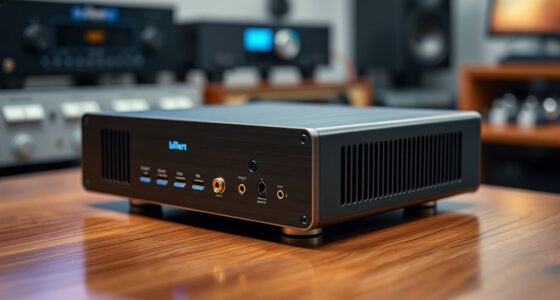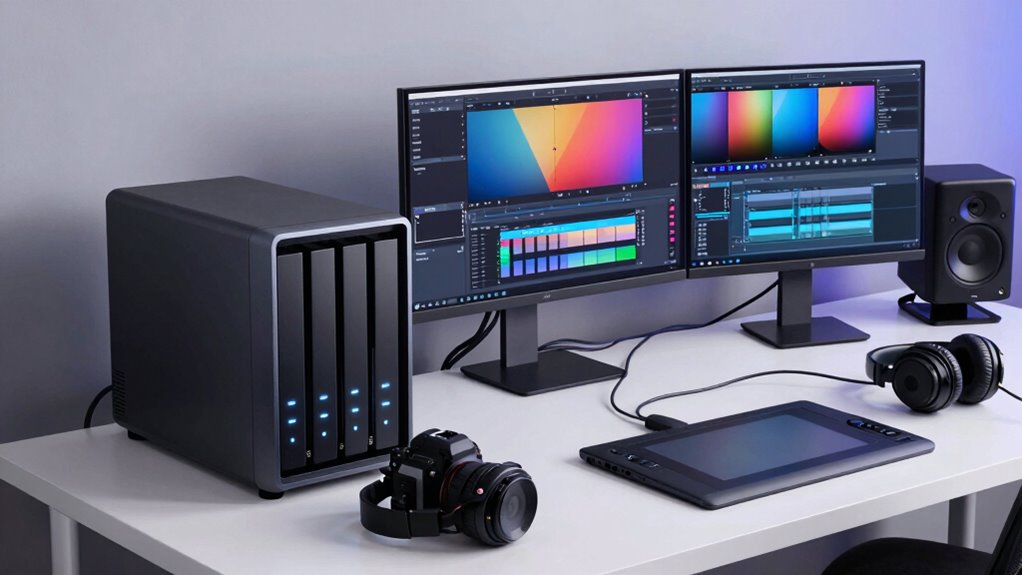

The best NAS for photographers depends on whether you need portable photo ingest, a simple home backup, or room to grow a large archive. I rank the Asustor AS5404T as the best overall for its four drive bays, four M.2 NVMe slots, and dual 2.5GbE, while the UGREEN DXP4800 GT stands out for creators seeking a capable four-bay system and the STATIONPC PocketCloud for field use with SD slots and a carry case. More bays and faster networking can improve capacity and workflow, but add cost, setup, and drive-management demands; compact two-bay models are simpler but offer less room to expand. I compare these tradeoffs across all 10 options so you can match a NAS to your photo library and working habits. Read on for the full breakdown and buying advice.

Get your wardrobe favorites delivered free with Prime
- Fast, free delivery on millions of items
- Prime Video, Amazon Music and more included
- Member-only deals all year
Key Takeaways
- The ASustor AS5404T earns the overall lead by combining four drive bays, four M.2 NVMe slots, and dual 2.5GbE, giving photo libraries room and faster-network options without jumping to an eight-bay chassis.
- The UGREEN DXP4800 GT and Synology DS425+ represent different four-bay priorities: the former suits buyers focused on creator-oriented hardware, while the latter fits those drawn to Synology’s private-cloud approach.
- Two-bay systems make more sense for modest collections and straightforward backups than for photographers who expect rapid archive growth or want more drive-layout flexibility.
- The STATIONPC PocketCloud fills a distinct field-work role with SD slots, M.2 NVMe support, and a water-resistant carrying case, but its portable design is not a substitute for a scalable home archive.
- Single-bay NAS models are the narrowest fit for primary photo storage: the Synology DS124 and two-bay entry options may suit basic file access, but buyers should plan an independent second copy of important work.
| STATIONPC PocketCloud Portable NAS with M.2 NVMe and SD Slots, 8TB Capacity (Diskless), and Water-Resistant EVA Carrying Case |  | Best for On-Location Backups | Storage: Up to 8TB; expandable to 16TB with Dock | Drive interface: M.2 NVMe | Connectivity: USB, SD card, Wi-Fi 6, hotspot mode, Ethernet with Dock | VIEW ON AMAZON | See Our Full Breakdown |
| UGREEN DH2300 2-Bay NAS for Personal Storage and Backup |  | Best Value for a Home Photo Archive | Bays: 2 | Maximum capacity: Up to 64TB with compatible drives | Memory: 4GB | VIEW ON AMAZON | See Our Full Breakdown |
| Synology DS225+ 2-Bay Diskless NAS Private Cloud Media Server |  | Best for a Photo Library and Media Server | Model: DS225+ | Drive bays: 2 | Configuration: Diskless | VIEW ON AMAZON | See Our Full Breakdown |
| Asustor AS5404T 4-Bay NAS with Intel Celeron N5105, 4 M.2 NVMe Slots, and Dual 2.5GbE |  | Best for a Fast, Expandable Studio Archive | Drive bays: 4 | Processor: Quad-core Intel Celeron N5105, 2GHz | M.2 slots: 4 for NVMe SSDs | VIEW ON AMAZON | See Our Full Breakdown |
| Synology DS1825+ 8-Bay Diskless NAS |  | Best for Large Collaborative Photo and Video Studios | Bays: 8 | Configuration: Diskless | Storage capacity: Up to 360TB with expansion units | VIEW ON AMAZON | See Our Full Breakdown |
| Synology DS425+ Private Cloud Media Server (4-Bay Diskless NAS) |  | Best for Synology-Based Photo Teams | Drive bays: 4 | Drive inclusion: Diskless | Maximum transfer speed: 278 MB/s | VIEW ON AMAZON | See Our Full Breakdown |
| Synology DiskStation DS223j 2-Bay NAS Enclosure (Diskless) |  | Best Beginner Synology NAS | Model: DS223j | Drive bays: 2 | Drive inclusion: None (diskless) | VIEW ON AMAZON | See Our Full Breakdown |
| UGREEN NAS DXP4800 GT 4-Bay Network Attached Storage |  | Best for High-Speed Photo Workflows | Processor: AMD Ryzen Embedded R2514, 4 cores, 8 threads, up to 3.70GHz | Memory: 8GB DDR4, expandable to 64GB; pre-installed memory is non-ECC | Drive bays: 4 SATA bays | VIEW ON AMAZON | See Our Full Breakdown |
| Synology DS124 Personal Backup & File Hub (1-Bay Diskless NAS) |  | Best Compact Personal Photo Hub | Model: DS124 | Form factor: 1-bay diskless NAS | Drive inclusion: Diskless | VIEW ON AMAZON | See Our Full Breakdown |
| UGREEN NAS DXP2800 2-Bay for Advanced Home Users, Remote Workers & Creators |  | Best Two-Bay NAS for Creative Home Setups | Processor: Intel N100 quad-core | Memory: 8GB DDR5 RAM | Drive bays: 2 | VIEW ON AMAZON | See Our Full Breakdown |
| nas for photographer | Drive bays | Warranty |
|---|---|---|
| STATIONPC PocketCloud Portable | — | — |
| UGREEN DH2300 2-Bay NAS for Pe | — | — |
| Synology DS225+ 2-Bay Diskless | 2 | 3 years |
| Asustor AS5404T 4-Bay NAS with | 4 | — |
| Synology DS1825+ 8-Bay Diskles | — | 3 years |
| Synology DS425+ Private Cloud | 4 | 3 years |
| Synology DiskStation DS223j 2- | 2 | 2 years |
| UGREEN NAS DXP4800 GT 4-Bay Ne | 4 SATA bays | — |
| Synology DS124 Personal Backup | — | 2 years |
| UGREEN NAS DXP2800 2-Bay for A | 2 | 2 years |
More Details on Our Top Picks
STATIONPC PocketCloud Portable NAS with M.2 NVMe and SD Slots, 8TB Capacity (Diskless), and Water-Resistant EVA Carrying Case
For photographers who need a copy of a shoot before returning to the studio, the PocketCloud’s SD-card backup and battery power make it the most field-focused option here. It can copy from SD cards or USB drives and connect over Wi-Fi 6 or hotspot mode, while the replaceable batteries are rated for up to six hours of continuous use. Its M.2 NVMe slot supports up to 8TB, expandable to 16TB with the Dock, but the drive is not included. Unlike the stationary UGREEN DH2300, this model is built around portability rather than a wired home archive; Ethernet also requires the Dock. Local, Dock, and cloud backup choices add flexibility, though this compact workflow does not replace a multi-bay NAS for large, growing collections.
Pros:- SD-card and USB backup support suits field-based photo workflows.
- Replaceable batteries provide up to six hours of continuous use away from power.
- M.2 NVMe storage supports up to 8TB, with expansion to 16TB using the Dock.
- Offers local, Dock, and cloud backup options alongside encryption features.
Cons:- Diskless design means an M.2 NVMe drive must be purchased separately.
- Ethernet connectivity requires the Dock.
- Portable capacity and setup are less suited to a growing multi-drive studio archive.
Best for: Traveling and event photographers who want to copy SD cards to local storage between shoots without relying on a wall outlet.
Not ideal for: Photographers building a large always-on studio archive who need several drive bays, included Ethernet, or storage ready to use out of the box.
- Storage:Up to 8TB; expandable to 16TB with Dock
- Drive interface:M.2 NVMe
- Connectivity:USB, SD card, Wi-Fi 6, hotspot mode, Ethernet with Dock
- Battery:Dual replaceable 3200mAh batteries
- Continuous use:Up to 6 hours
- Standby:Up to 20 days
- Included case:Water-resistant EVA hard case
Our verdict“Choose the PocketCloud for mobile SD-card backups; choose a multi-bay NAS such as the UGREEN DH2300 for a stationary photo library.”
UGREEN DH2300 2-Bay NAS for Personal Storage and Backup
The UGREEN DH2300 is a straightforward starting point for photographers who want automatic backups across phones and computers without paying for workstation-style features they may not use. Its two SATA bays support up to 64TB with compatible drives, giving a home photo library room to grow beyond a single external disk. Automatic backups, AI photo tagging, and duplicate detection can make a mixed-device archive easier to maintain. Compared with the portable STATIONPC PocketCloud, the DH2300 is better suited to a permanent networked library, but it needs wired Ethernet; Wi-Fi requires an external USB adapter. Its 1GbE connection is also less suited to editing large files directly over the network than the Asustor AS5404T’s dual 2.5GbE ports. Drives are sold separately, and it does not support Docker, virtual machines, or server applications.
Pros:- Two bays support up to 64TB with compatible SATA drives.
- Automatic backups support phones, computers, and tablets.
- AI photo tagging and duplicate detection help organize a growing library.
- RAID modes, two-factor authentication, and encrypted transfers support safer storage.
Cons:- Hard drives are not included.
- Uses wired 1GbE; Wi-Fi requires an external USB adapter.
- Does not support Docker, virtual machines, or server applications.
Best for: Photographers who want an accessible, wired home archive with automatic photo backups from phones and computers.
Not ideal for: Creators who need Wi-Fi without extra hardware, faster-than-gigabit editing access, or Docker and virtual-machine workloads.
- Bays:2
- Maximum capacity:Up to 64TB with compatible drives
- Memory:4GB
- Network:1GbE Ethernet; Wi-Fi requires an external USB adapter
- Transfer speed:Up to 125MB/s
- Drive interface and form factor:SATA, 3.5-inch drives
- Included drives:None
Our verdict“Pick the DH2300 for a practical wired home photo archive, but choose the Asustor AS5404T if faster networking and broader expansion matter more.”
Synology DS225+ 2-Bay Diskless NAS Private Cloud Media Server
The Synology DS225+ suits photographers who want one home device for photo storage, private-cloud access, and streaming—not just a folder shared across a network. Its Intel processor supports hardware transcoding, so video can be prepared for playback on compatible devices, while RAID, backups, and snapshots add protection against different kinds of data loss. The stated transfer speed of up to 282MB/s gives it more headroom than the UGREEN DH2300’s up-to-125MB/s figure, though actual results depend on drives and network setup. It remains a two-bay system, so it offers less room to scale than the four-bay Asustor AS5404T or eight-bay Synology DS1825+. The diskless setup also means extra drive purchases and configuration, which may feel like unnecessary work for a beginner seeking simple backup.
Pros:- Intel CPU supports hardware transcoding for media playback.
- RAID, backups, and snapshots provide several layers of data protection.
- Stated transfer speeds reach up to 282MB/s.
- Supports surveillance with AI detection for up to 30 IP cameras.
Cons:- Diskless configuration requires separate drive purchases.
- Initial setup and configuration may challenge first-time NAS owners.
- Two bays offer less capacity expansion than the Asustor AS5404T or Synology DS1825+.
Best for: Photographers who want a two-drive private photo library that can also serve video and other media around the home.
Not ideal for: Beginners seeking a ready-to-use backup appliance, or studios that need more bays and room for a large shared archive.
- Model:DS225+
- Drive bays:2
- Configuration:Diskless
- Processor:Intel CPU
- Transfer speed:Up to 282MB/s
- Surveillance support:Up to 30 IP cameras
- Warranty:3 years
Our verdict“Choose the DS225+ if you want a home photo archive with media-server features, and skip it if simple setup or extensive capacity growth is your priority.”
Asustor AS5404T 4-Bay NAS with Intel Celeron N5105, 4 M.2 NVMe Slots, and Dual 2.5GbE
For a photographer whose archive is outgrowing two drives, the Asustor AS5404T’s four drive bays offer a useful middle ground between the two-bay models and the much larger Synology DS1825+. Four M.2 NVMe slots provide additional SSD options, while dual 2.5GbE ports can support faster network transfers than the DH2300’s 1GbE connection when the rest of the network is equipped for it. The quad-core Celeron and memory expansion to 16GB give more room for demanding NAS tasks, though it arrives with only 4GB installed. HDMI and three USB 3.2 Gen 2 ports add connection options beyond storage. The tradeoff is that the unit is diskless, and filling its bays and NVMe slots can add complexity; the DS225+ is simpler if two bays are enough.
Pros:- Four drive bays provide more archive capacity and layout flexibility than two-bay options.
- Four M.2 NVMe slots allow additional SSD storage.
- Dual 2.5GbE ports support faster network connections than 1GbE NAS models.
- Memory can be expanded from 4GB to 16GB.
Cons:- Ships without drives, so storage must be purchased separately.
- Only 4GB of memory is installed initially.
- Faster networking depends on compatible network equipment.
Best for: Photographers with a growing studio archive who want four drive bays, faster-than-gigabit networking, and room to add NVMe storage.
Not ideal for: Photographers who need a portable backup device, want drives included, or do not have a 2.5GbE-capable network to benefit from its faster ports.
- Drive bays:4
- Processor:Quad-core Intel Celeron N5105, 2GHz
- M.2 slots:4 for NVMe SSDs
- Memory:4GB DDR4-2933; expandable to 16GB
- Ethernet:2 x 2.5 Gigabit Ethernet
- USB:3 x USB 3.2 Gen 2, 10Gbit/s
- Video output:HDMI
- Dimensions and weight:9.06 x 6.85 x 6.69 inches; 2500g
- Storage and warranty:Diskless; 3-year warranty
Our verdict“Choose the AS5404T for a scalable studio archive with faster networking; pick the DS225+ for a simpler two-bay media library.”
Synology DS1825+ 8-Bay Diskless NAS
The Synology DS1825+ is the capacity-and-throughput choice for studios managing enormous image libraries or shared video projects. Its eight bays and support for up to 360TB with expansion units give a team more room to consolidate archives than the four-bay Asustor AS5404T, while the stated speeds of up to 2,239MB/s target demanding 4K and 8K workflows. Support for 50+ concurrent users also makes it a better fit for collaborative production than the two-bay DS225+. This scale comes with practical costs beyond the enclosure: drives are not included, and 10GbE or 25GbE networking requires upgrade cards. The advertised speed also depends on suitable drives, network hardware, and workflow setup. For a solo photographer with a modest library, this is far more capacity and infrastructure than needed.
Pros:- Eight bays support large shared photo and video archives.
- Expansion units allow capacity up to 360TB.
- Stated network speeds reach up to 2,239MB/s for demanding project workflows.
- Designed to support more than 50 concurrent users.
Cons:- Diskless configuration requires separate drive purchases.
- 10GbE or 25GbE networking requires additional upgrade cards.
- Its capacity and networking options may be excessive for individual photographers.
Best for: Photo and video studios with large shared archives, multiple editors, and workflows that can make use of high-speed networking.
Not ideal for: Solo photographers or small teams who need a simple backup target and do not require eight bays, expansion units, or upgraded networking.
- Bays:8
- Configuration:Diskless
- Storage capacity:Up to 360TB with expansion units
- Network speed:Up to 2,239MB/s
- Networking options:10GbE or 25GbE upgrade cards
- Concurrent users:50+
- Warranty:3 years
Our verdict“Choose the DS1825+ for a large collaborative studio that needs extensive capacity and fast project access, not for a small personal archive.”
Synology DS425+ Private Cloud Media Server (4-Bay Diskless NAS)
The DS425+ suits photographers who want shared storage for a small studio, with four drive bays, support for 10+ concurrent users, and transfer speeds listed up to 278 MB/s. RAID, automated backups, and snapshots give teams ways to protect working files and recover earlier versions—useful when several people handle the same shoots. Compared with the two-bay Synology DS223j, it offers more room for drive expansion and collaborative use, but brings a more involved setup and needs four compatible drives purchased separately. Its support for up to 30 IP cameras is a bonus for studios that also manage site security, though it is not a substitute for choosing an appropriate photo backup workflow. I’d rank it ahead of simpler personal hubs for shared studio work, not for solo photographers seeking the least complex setup.
Pros:- Four bays provide more capacity and drive-layout flexibility than the two-bay DS223j.
- Supports concurrent access for 10+ users, fitting collaborative studio workflows.
- RAID, automated backups, and snapshots support file protection and recovery.
- Up to 278 MB/s transfer speed and support for 30 IP cameras broaden its studio uses.
Cons:- Diskless design means compatible drives must be bought separately.
- Advanced configuration may be challenging for photographers without NAS experience.
Best for: Small photography studios that need shared file access, room to expand, and Synology backup and snapshot tools.
Not ideal for: Solo photographers who want a simple, low-maintenance file hub or do not need four bays and multi-user access.
- Drive bays:4
- Drive inclusion:Diskless
- Maximum transfer speed:278 MB/s
- Concurrent users:10+
- Data protection:RAID, automated backups, and snapshots
- Surveillance support:Up to 30 IP cameras
- Warranty:3 years
- Support:Dedicated technical account management
Our verdict“Choose the DS425+ for a Synology-based studio that needs shared storage and room to grow, rather than a straightforward personal backup box.”
Synology DiskStation DS223j 2-Bay NAS Enclosure (Diskless)
The DS223j is the approachable pick for photographers setting up a first shared archive: it is a compact, quiet two-bay enclosure with automated backups and private-cloud file sharing. Two bays give it a more practical storage-and-protection starting point than the single-bay Synology DS124, while keeping the system simpler than the four-bay DS425+. That smaller footprint and energy-efficient design fit a home office where the NAS may run continuously. The tradeoff is limited expansion compared with four-bay options, and the product data does not specify a transfer speed or processor, so I would not choose it for demanding multi-user editing based on this information alone. Drives are not included, and camera features may add setup work beyond basic photo backup.
Pros:- Two bays offer more storage-layout flexibility than the one-bay DS124.
- Automated backups can centralize copies from computers and mobile devices.
- Compact, quiet, energy-efficient design suits an always-on home office.
- Private-cloud access and file sharing support access across devices.
Cons:- Diskless enclosure requires separate purchase of compatible drives.
- Two bays provide less expansion room than the DS425+ and other four-bay models.
Best for: Photographers new to NAS who want a quiet home-office hub for device backups and a modest photo library.
Not ideal for: Studio teams, photographers with rapidly growing archives, or users who need documented high-speed multi-user editing.
- Model:DS223j
- Drive bays:2
- Drive inclusion:None (diskless)
- Storage and sharing:Private cloud and file sharing
- Backup:Automated backups
- Camera support:IP cameras with remote viewing
- Design:Compact, quiet, and energy-efficient
- Warranty:2 years
Our verdict“Pick the DS223j for a simple first Synology photo archive at home, but choose a larger model if your library or team is likely to grow quickly.”
UGREEN NAS DXP4800 GT 4-Bay Network Attached Storage
For photographers moving large batches of RAW files across a fast wired network, the DXP4800 GT stands out for its dual 10GbE ports, four SATA bays, and support for NVMe storage. Its SD card slot and 10Gbps USB ports also offer convenient ways to bring media onto the NAS without routing every import through a computer. Compared with the Synology DS425+, this UGREEN model puts more emphasis on high-bandwidth networking and expandable hardware, including memory upgrades and Docker or virtual-machine support. That flexibility asks more of the owner: drives are extra, Plex needs manual Docker setup, and ECC memory requires a compatible upgrade. The listed 20Gbps aggregate figure depends on compatible link aggregation and network equipment, so the fast ports only pay off in a suitably equipped workflow.
Pros:- Dual 10GbE ports can support high-throughput workflows with compatible network equipment.
- SD card slot and fast USB ports simplify direct media imports.
- Four SATA bays plus supported NVMe options allow a mix of capacity and fast storage.
- Expandable memory and Docker and virtual-machine support suit advanced workflows.
Cons:- Drives are not included, adding a separate drive-selection and setup step.
- Plex requires manual setup through Docker.
- Pre-installed memory is non-ECC; ECC functionality requires a compatible memory upgrade.
Best for: Technically confident photographers with a 10GbE network who move large image sets and want direct card imports plus hardware expansion.
Not ideal for: Beginners or photographers using ordinary home networking who would not benefit from its networking and configuration options.
- Processor:AMD Ryzen Embedded R2514, 4 cores, 8 threads, up to 3.70GHz
- Memory:8GB DDR4, expandable to 64GB; pre-installed memory is non-ECC
- Drive bays:4 SATA bays
- Maximum capacity:Up to 144TB
- SSD support:Up to 2 U.2 NVMe SSDs in compatible bays, plus two M.2 SSDs
- Networking:Dual 10GbE ports; up to 20Gbps aggregate bandwidth with compatible link aggregation
- Media connectivity:SD card slot, USB-A 10Gbps, USB-C 10Gbps, USB 2.0, and 4K HDMI
- Software:UGOS Pro; supports Docker, virtual machines, and SAN Manager
Our verdict“Choose the DXP4800 GT if your photo workflow can use 10GbE and you want expandable hardware, but skip its complexity if you need a simple plug-in archive.”
Synology DS124 Personal Backup & File Hub (1-Bay Diskless NAS)
The DS124 is a small, focused option for a photographer who wants one place to back up and reach personal files from different devices. Its single-bay format keeps the setup compact, and the listed integration spans iPhone, Android, Mac, and Windows. That makes it a simpler personal hub than the two-bay DS223j, but the difference matters: one bay limits both storage capacity and the ability to build in drive redundancy. I would treat it as a convenient access and backup destination, not as the only copy of irreplaceable photographs. AI-powered person and vehicle detection may appeal to home users adding surveillance, though it is separate from a photographer’s core archive needs. The diskless unit also requires a compatible drive, and no transfer-speed figure is provided.
Pros:- Compact one-bay design takes less space than the DS223j and four-bay options.
- Supports backup integration across iPhone, Android, Mac, and Windows.
- Private-cloud access and sharing avoid reliance on a monthly cloud-storage subscription.
- AI-powered person and vehicle detection adds a home-surveillance use.
Cons:- Single-bay configuration limits capacity and does not provide multi-drive redundancy.
- Diskless design requires a separate compatible drive.
- No transfer-speed information is provided for evaluating large photo transfers.
Best for: Solo photographers who need a compact personal file hub for device backups and remote access, with no requirement for drive redundancy.
Not ideal for: Photographers storing a large or irreplaceable archive who want multi-drive protection or room to expand.
- Model:DS124
- Form factor:1-bay diskless NAS
- Drive inclusion:Diskless
- Backup integration:iPhone, Android, Mac, and Windows
- Surveillance:AI-powered person and vehicle detection
- Cloud access:Private cloud and file sharing
- Warranty:2 years
Our verdict“The DS124 fits a solo photographer who wants a compact personal cloud, but it is a poor choice as the sole protected archive for a growing photo collection.”
UGREEN NAS DXP2800 2-Bay for Advanced Home Users, Remote Workers & Creators
The DXP2800 brings more computing headroom to a two-bay NAS than a basic backup box: its Intel N100 processor, 8GB DDR5 RAM, 2.5GbE networking, and dual M.2 NVMe slots support photo management alongside Docker, virtual machines, and media-server tasks. AI-driven organization features may help home photographers sort a personal library, while cross-platform access serves a mix of computers and mobile devices. Compared with the beginner-oriented Synology DS223j, this UGREEN model is better suited to owners who want to run several services, but that flexibility comes with more configuration and a steeper learning curve. It has only two drive bays, so the listed capacity ceiling does not make it as expandable as four-bay options such as the DS425+. Drives are sold separately, and the supplied specs do not identify the stated read and transfer figures as MB/s.
Pros:- Intel N100 processor and 8GB DDR5 RAM support more than basic file storage.
- Dual M.2 NVMe slots offer SSD options alongside the two SATA drive bays.
- AI-driven photo management supports personal-library organization.
- Docker, virtual machines, and Plex support appeal to users who want a flexible home server.
Cons:- Diskless design requires separate hard drives or SSDs.
- Two drive bays offer less expansion than the four-bay DS425+.
- Advanced applications and services can require technical setup.
Best for: Advanced home photographers and remote creators who want photo storage plus AI organization, NVMe options, and self-hosted apps.
Not ideal for: Photographers who want a simple backup appliance, need more than two bays, or prefer not to configure advanced software.
- Processor:Intel N100 quad-core
- Memory:8GB DDR5 RAM
- Drive bays:2
- Maximum storage:Up to 80TB
- Networking:2.5GbE
- SSD expansion:Dual M.2 NVMe slots
- Photo and media features:AI-driven photo management and Plex support
- Software capabilities:Docker containers and virtual machines
- Warranty:2 years
Our verdict“Choose the DXP2800 for a capable two-bay creative home server, but pick a simpler model if you only need straightforward photo backups.”

How We Picked
I ranked these NAS devices around the demands of a photographer’s workflow: ingesting cards, backing up shoots, organizing a growing library, accessing files across devices, and keeping an independent copy of important images. I weighed bay count and expansion options alongside the stated hardware, including M.2 slots and network ports, because those features can affect storage flexibility and the time spent moving large image sets. I also considered how well each form factor fits field use, a home archive, or a first NAS setup.
The ranking favors useful capacity headroom and a balanced feature set over a single standout spec. That puts the four-bay Asustor first, with the UGREEN DXP4800 GT and Synology four-bay models serving different needs behind it. Compact, two-bay, and single-bay devices rank lower for photographers with large or growing libraries, though they can be sensible for simpler workloads. These products are diskless unless the listing specifies otherwise, so the cost and choice of compatible drives remain part of the buying decision.
Factors to Consider When Choosing Nas For Photographers
Choosing a NAS for photos is less about chasing the biggest number on a spec sheet and more about matching the system to how you ingest, edit, and protect images. I would settle the questions below before choosing drive bays or network speed; a mismatch in workflow can matter more than a headline feature.
Decide Whether the NAS Is an Archive or an Editing Workspace
A NAS can hold completed shoots and backups without being fast enough to serve as the main workspace for editing large files. If you edit directly from network storage, your computer, network adapter, switch, and NAS connection all affect performance. A faster port on the NAS alone does not upgrade the rest of the chain. Many photographers get a simpler workflow by editing from local SSD storage and copying finished work to the NAS. Before paying extra for performance features, decide which files need quick access and which can live in a long-term archive.
Choose Drive Bays Around Growth, Not Today’s Library
Estimate how much new photo and video data you create each year, then consider how long you want to keep original files and edits. A two-bay system can be a good fit for a smaller collection, but it leaves fewer options when the archive expands. More bays offer flexibility in how storage is configured and can make future capacity planning easier, though additional drives increase the initial setup and maintenance burden. Do not confuse a larger bay count with a backup plan: drive redundancy can help a system keep running after a drive failure, but it does not protect against accidental deletion, theft, or damage to the whole unit. Leave room in your capacity plan for growth and a separate copy of the files you cannot replace.
Treat Networking as a Whole-System Choice
Network speed matters most when moving large batches of RAW files or working with images stored on the NAS. A 2.5GbE port can help only when the computer and network equipment connected to it can support that link too. Wi-Fi conditions and other network traffic can also limit transfers, so a fast NAS may not feel fast in every room. For occasional backups, a standard home network may be adequate; for regular large transfers, check the complete path from workstation to storage. Spending on a faster NAS connection before upgrading the rest of the network can leave the feature underused.
Plan Card Ingest and Travel Separately From Home Storage
Field photographers may value card slots and a portable case more than extra bays, but portable ingest and long-term storage solve different problems. A compact unit can make it easier to copy files while away from a studio, yet it still needs a sound backup routine and a safe destination for the data. Avoid treating a single copy on a travel device as a finished backup, especially before cards are reused. If you mainly work at home, a fixed multi-bay NAS may be a better use of your budget than portability. Consider how files move from camera cards to laptop, travel storage, and the final archive before choosing a form factor.
Check Software Fit and Ongoing Upkeep
The interface and file-management tools shape daily use, particularly when several computers or household members need access. Look at how a system handles photo folders, remote access, user permissions, and the devices already in your workflow rather than relying on hardware specifications alone. A feature-rich system may take more time to configure, while a simpler unit can be easier to maintain but offer fewer paths for expansion. Also plan for drive health checks, software updates, and periodic restore tests. The best fit is a NAS you can manage consistently, not merely the model with the longest feature list.
Budget for Drives and a Separate Backup
Diskless NAS devices require you to select and install drives, so the chassis is only one part of the system cost and setup. Match drives to the NAS maker’s compatibility guidance and to the capacity and workload you expect. Keep a separate copy of important photographs on another device or in another location; mirroring drives inside a NAS is not a full backup. A cloud copy or an external drive stored away from the NAS can reduce the impact of theft, fire, or device failure. Set up the backup before moving your only copy of a library into the new system.
Frequently Asked Questions
Is a two-bay NAS enough for a growing photography archive?
It can be enough if your library is modest, your capacity needs are predictable, and you are comfortable with fewer expansion options. Before buying, estimate annual file growth and decide how long you will keep RAW files, exports, and video. A two-bay unit can provide a useful home archive, but it may become limiting sooner than a four-bay model when a collection grows. RAID or mirroring can help with drive failure, but it is not a separate backup. If you expect a large archive or want more storage-layout flexibility, a four-bay system is a safer starting point.
Can I edit RAW photos directly from a NAS?
Yes, but the editing experience depends on the full connection between the computer and NAS, not just the NAS network port. Large RAW files and catalogs can feel slower over a busy or wireless network, even when the storage unit has faster networking. Check that your computer and network equipment support the connection you plan to use. Many photographers keep active projects on a local SSD and use the NAS for the archive and backup copies. Test your own workflow before moving every active project onto network storage.
Does RAID protect my photos if a drive fails?
Some drive configurations can keep a NAS available after a drive failure, but RAID does not protect against every kind of data loss. Accidental deletion, malware, theft, fire, and failure of the NAS itself can still affect files. Keep at least one separate backup copy, ideally in another location or on a disconnected device. A backup should be tested by restoring a sample of files rather than assumed to work. Think of RAID as a continuity feature, not a replacement for backup.
Should I choose the portable PocketCloud or a four-bay NAS for field work?
Choose based on where your files need to go after a shoot. The PocketCloud’s SD slots and carrying case suit a field-oriented ingest role, while a four-bay NAS is more at home as a larger, expandable archive. A portable copy can be useful on location, but it should not be the only copy of a shoot. If you need both travel ingest and a dependable home library, plan for a transfer and backup process connecting the two rather than expecting one device to cover every role. For photographers who mostly work from a studio, bay count and home-network fit may matter more than portability.
Is a one-bay NAS a safe place for my only copy of a photo library?
No. A one-bay device can provide convenient file access and a place to collect backups, but a single drive inside one enclosure leaves the library exposed to drive or device failure. Keep another copy on an external drive, a second storage system, or a cloud service. For irreplaceable shoots, consider keeping one backup away from the home or studio. A one-bay model may suit a small, secondary file hub, but it is a poor choice as the sole home for valuable originals.
Conclusion
I would choose the Asustor AS5404T as the best overall for photographers who want four bays, multiple M.2 slots, and dual 2.5GbE in one system. The UGREEN DXP4800 GT is my best value pick for creators who want a four-bay platform without moving to the eight-bay Synology DS1825+. For a best premium choice with substantial expansion headroom, the DS1825+ suits large archives, while the Synology DS223j is my best beginner fit for straightforward two-bay storage needs. For specific field-work needs, the STATIONPC PocketCloud’s SD slots and carrying case stand apart; choose the Synology DS124 only for a basic file hub with a separate backup. Match the bay count to your archive, check the network you already own, and plan a second copy of every important shoot.
Halloween Picks
halloween
As an affiliate, we earn on qualifying purchases.