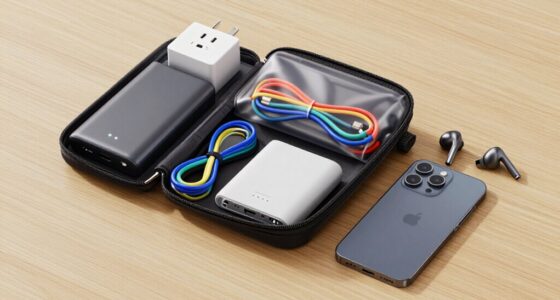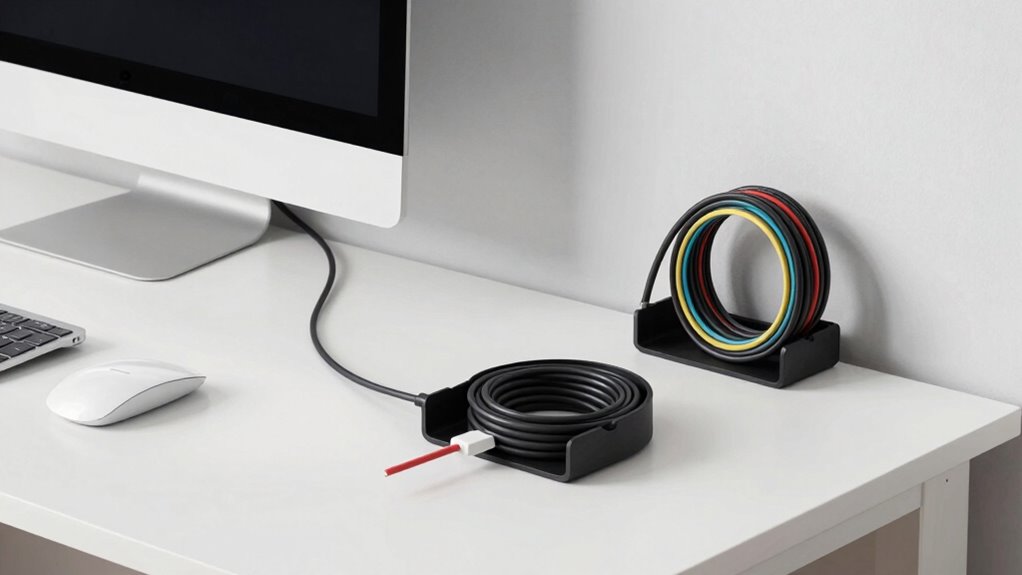

To reduce cable clutter without losing functionality, organize cables with reusable velcro straps or cable ties, and label them for easy identification. Use cable sleeves or conduits to hide multiple cords neatly, and mount power strips off the floor for safety. Opt for shorter cables and manage excess slack with cable organizers. Incorporating wireless devices where possible also helps. Keep your setup tidy and efficient with these tips—you’ll discover even more ways to streamline your space.

Get your wardrobe favorites delivered free — and shop member deals
- Fast, free delivery on millions of items
- Access to Prime Big Deal Days deals on October 6–7
- Prime Video, Amazon Music and more included
Key Takeaways
- Use cable organizers, sleeves, or conduits to neatly bundle and hide multiple cables.
- Implement wireless solutions to eliminate the need for physical cables where feasible.
- Label and group related cables for quick identification and easier management.
- Mount power strips on walls or desks to keep cords off the floor and organized.
- Regularly review and adjust cable arrangements to prevent clutter and maintain accessibility.

Cable clutter can quickly turn your workspace or living area into a tangled mess, making it harder to find what you need and risking damage to your devices. The good news is, you don’t have to sacrifice functionality to keep your space organized. With effective wire management, you can streamline your cables and keep everything accessible without the chaos. Start by evaluating your cables and identifying which ones you use daily and which can be tucked away. Group related cables together using reusable velcro straps or cable ties, which help prevent tangling and make it easier to identify specific cords when needed.
Organize cables with velcro straps or ties to prevent tangling and keep essential cords easily accessible.
Power strips are your best allies in reducing clutter. Instead of having multiple outlets scattered across the room, use one or two high-quality power strips to centralize your power sources. Choose power strips with enough outlets for your devices, and opt for ones with built-in surge protection to keep your gear safe. Mount power strips behind desks or along walls using adhesive mounting brackets, which keeps cords off the floor and out of sight. This not only improves safety but also makes your setup look much cleaner.
To further enhance your wire management, consider investing in cable sleeves or conduits. These enclosures hide multiple cables in a single tube, making your setup look sleek and uniform. For cables that run along walls or furniture, use adhesive cable clips or cable raceways to secure them neatly along surfaces. This prevents cords from dangling or becoming a tripping hazard and keeps everything tidy without sacrificing accessibility. Additionally, understanding the importance of neural interfaces can inspire innovative ways to manage cables, especially as technology advances toward more integrated and wireless solutions. Incorporating wireless technology can significantly reduce the number of cables needed, further decluttering your space.
Using cable management accessories such as cable clips or sleeves can make a noticeable difference in organization, especially if you tend to add or remove devices frequently. Labeling your cables with small tags or color-coded tape can save you time when troubleshooting or rearranging devices. A well-structured approach to cable routing ensures that cables stay neatly organized and are less likely to get tangled over time. Proper planning for cable length can also prevent excess slack from accumulating and creating clutter. If you have a lot of cables, keeping a diagram or list of which cable belongs to which device can help you quickly disconnect or replace items without confusion. When possible, opt for shorter cables to reduce excess slack, or use cable organizers to coil and secure long cords.
Finally, make a habit of regularly reviewing and tidying your cables. Over time, new devices and equipment can add to the clutter, so maintaining your wire management system ensures it stays effective. You don’t need to hide every cable completely; just organize them in a way that makes your space safer, more functional, and visually cleaner. With a little effort, you can enjoy a clutter-free environment without sacrificing the ease of access or the performance of your devices.
As an affiliate, we earn on qualifying purchases.
Frequently Asked Questions
Can Cable Management Solutions Damage Electronic Devices?
Cable management solutions generally don’t damage electronic devices if you use them correctly. Avoid pinching or bending cables sharply, which can damage cable insulation and lead to exposed wires. Properly organized cables prevent device overheating by ensuring good airflow and reducing strain on ports. Always check that cables are secured but not overly tight, and keep vents clear. When used properly, cable management keeps your devices safe and functioning well.
Are Wireless Alternatives Always More Reliable Than Wired Connections?
They say “trust, but verify,” and that’s true for wireless versus wired connections. Wireless reliability can vary due to interference or signal range, making it less consistent than wired stability, which offers a more secure and stable connection. While wireless tech is convenient, it’s not always more reliable. You need to weigh your needs—if stability is key, wired might be your best bet.
How Often Should I Reorganize My Cable Setup?
You should reorganize your cable setup every few months or whenever you notice issues like tangled cords or difficulty accessing devices. Use cable labeling to identify cords easily, and consider modular components that allow quick adjustments. Regular reorganization keeps your setup tidy, improves airflow, and prevents damage. Staying proactive ensures your cables remain functional and accessible, reducing clutter while maintaining ideal performance.
What Are the Best Tools for Cable Management?
You should use cable labeling and sleeve organizers as your top tools for cable management. Labeling helps you identify cables easily, saving time when troubleshooting or reorganizing. Sleeve organizers bundle multiple wires neatly, preventing tangles and clutter. Combine these tools for an organized setup that’s both functional and tidy. Investing in quality cable labels and flexible sleeves makes maintaining your cables simpler, ensuring your workspace stays clutter-free without sacrificing accessibility or performance.
Do Cable Ties Affect Cable Longevity?
Think of cable ties like gentle hands holding your cables—if you use the right cable material and avoid overly tight ties, they won’t hurt your cables’ longevity. Good ties’ durability guarantees they maintain their hold without damaging the insulation or internal wires. When you choose high-quality ties and apply them with care, they won’t compromise cable lifespan, keeping your setup neat and functional for years to come.
As an affiliate, we earn on qualifying purchases.
Conclusion
By tidying your cables, you’re channeling a bit of Da Vinci’s mastery—transforming chaos into clarity. Just as a master artist sees beauty in every brushstroke, you’ll find harmony in your workspace when clutter is tamed. Remember, a well-organized setup isn’t just about aesthetics; it’s about enabling seamless function. So, take charge, and let your space reflect the elegance of simplicity—where everything has its place, and nothing gets lost in the shuffle.
As an affiliate, we earn on qualifying purchases.
As an affiliate, we earn on qualifying purchases.
Evergreen bestsellers Picks
bestsellers
As an affiliate, we earn on qualifying purchases.