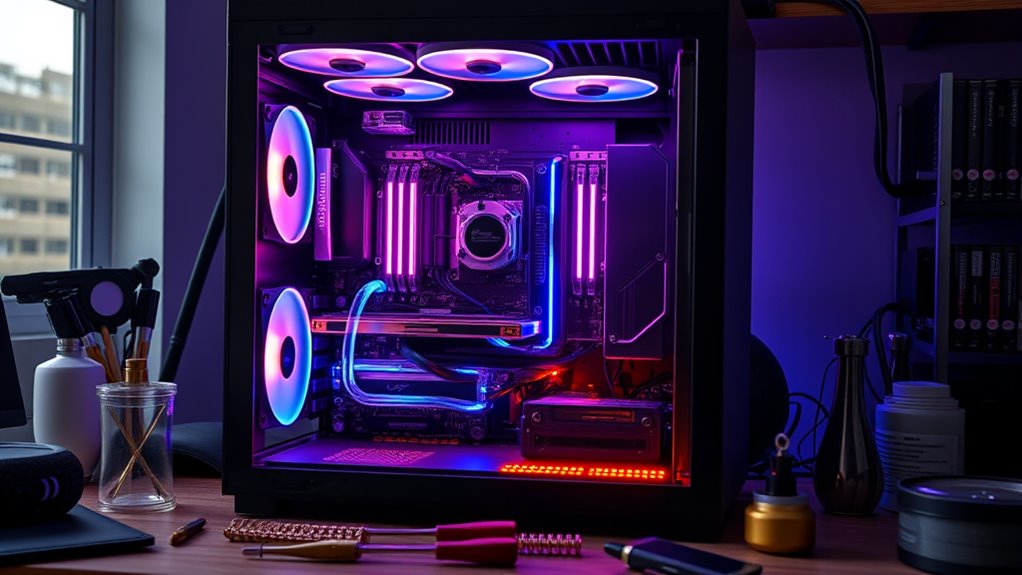

Building a custom PC allows you to tailor every component to match your luxury gaming or work needs, giving you control over performance and future upgrades. While it requires some technical skill and initial effort, you’ll enjoy better flexibility, higher quality parts, and easier customization down the line. Pre-builts are simpler with support included but often limit upgrades and might not use top-tier components. Want to discover how each option fits your style and budget? Keep exploring to find out more.

Get your wardrobe favorites delivered free with Prime
- Fast, free delivery on millions of items
- Prime Video, Amazon Music and more included
- Member-only deals all year
Key Takeaways
- Custom PCs offer tailored hardware selection for optimal performance, while pre-builts provide convenience and bundled warranty support.
- Building a custom PC requires technical knowledge but allows for future upgrades and personalization; pre-builts are ready-to-use without assembly.
- Custom systems typically have higher initial costs but better long-term upgrade options; pre-builts are often cheaper upfront with limited upgradeability.
- Custom builds provide full control over component quality and aesthetics, creating a luxury, personalized experience; pre-builts prioritize simplicity and affordability.
- Future flexibility is greater with custom PCs due to compatible, upgradeable parts; pre-builts may face compatibility and upgrade limitations.

When deciding between a custom PC and a pre-built system, you have to contemplate your specific needs, budget, and technical expertise. If you’re aiming for a machine tailored precisely to your preferences, building a custom PC offers unmatched control over every component. One of the critical aspects to consider is hardware compatibility. When you select each part yourself, you ensure that all components work seamlessly together, avoiding issues like mismatched RAM and motherboard or incompatible power supplies. This level of customization guarantees a system that performs at its best and meets your exact specifications. However, it also means you need to be comfortable with researching parts, understanding technical specs, and assembling the components. If you’re new to building PCs, this process can be intimidating but rewarding once completed. Additionally, choosing energy-efficient hardware can make your custom build more sustainable and cost-effective in the long run.
Warranty coverage is another crucial factor. With pre-built systems, warranties are typically all-encompassing, covering not just individual components but the entire machine. This means if something goes wrong, you often have a single point of contact for repairs or replacements, which simplifies support. On the other hand, with custom builds, each part usually comes with its own warranty from the manufacturer. While this can be advantageous if a specific component fails, it also complicates the repair process since you might need to deal with multiple vendors. You’ll need to manage each warranty separately, which can be time-consuming and sometimes confusing, especially if issues arise with compatibility or installation.
Cost is also a key element in your decision. Custom PCs might initially seem more expensive because you’re paying for high-quality, carefully selected parts. Still, they can be more economical in the long run if you upgrade or replace components individually instead of buying a whole new system. Pre-builts often come with lower upfront prices, but their components might not be as high-end, and upgrades can be limited or more costly down the line.
Finally, think about your future needs and upgrade path. Building a custom PC allows you to choose a motherboard and case that support future upgrades, making it easier to keep your system current. Pre-built systems may not offer the same flexibility, and upgrading can sometimes be a challenge or require replacing the entire system sooner than you’d like. Ultimately, your decision hinges on balancing your comfort with technical tasks, your desire for customization, and how much support and warranty coverage matter to you.
As an affiliate, we earn on qualifying purchases.
Frequently Asked Questions
How Do Custom PCS Impact Future Upgrade Options?
Custom PCs enhance your future upgrade options by offering greater upgrade flexibility and ensuring component compatibility. You can select parts that work seamlessly together, making upgrades smoother and more efficient. Unlike pre-builts, which might limit your choices and complicate future updates, custom builds let you easily swap out or add new components as technology advances. This approach keeps your system current and optimized for gaming, work, or other demanding tasks.
What Are the Maintenance Requirements for Custom Vs Pre-Built PCS?
You’ll find that custom PCs require more maintenance, especially because hardware compatibility needs regular checks and updates. You can customize the aesthetics, but dust buildup and component wear demand periodic cleaning. Pre-builts tend to need less upkeep since they’re assembled professionally and often come with warranties. With a custom build, stay proactive about cooling and compatibility to guarantee your system runs smoothly, and enjoy the flexibility of aesthetic customization.
Can Custom PCS Be More Reliable Than Pre-Built Systems?
Surprisingly, custom PCs can be more reliable than pre-builts, especially if you tap into their overclocking potential and guarantee component compatibility. Since you choose premium parts, you avoid the quality issues often found in mass-produced systems. Plus, you get to tailor cooling and power solutions, reducing risks of failure. So, with careful selection, your custom build might just outperform a pre-built in reliability—ironic, isn’t it?
How Does Warranty Coverage Differ Between Custom and Pre-Built PCS?
Warranty policies often differ between custom and pre-built PCs. With pre-built systems, you usually get extensive coverage from the manufacturer, making customer support straightforward if issues arise. Custom PCs might have fragmented warranties from individual parts manufacturers, potentially complicating support. However, some custom builders offer overall warranty packages. You need to contemplate how warranty coverage and customer support align with your needs before choosing between the two options.
Are There Specific Brands Better Suited for Custom PC Builds?
Some brands are better suited for custom PC builds because of their reputation for quality and component availability. Look for brands like ASUS, MSI, and Corsair, known for reliable components and good support. These brands usually offer a wide selection of parts, making it easier to personalize your build. Prioritize those with positive reviews and a solid reputation to guarantee your custom PC performs well and lasts longer.
As an affiliate, we earn on qualifying purchases.
Conclusion
Ultimately, whether you choose to craft your dream machine or select a pre-built, remember that each path carries its own quiet elegance. Building your own offers a personal touch, like a handwritten letter, while pre-builts provide a seamless experience, like a gentle breeze. Whichever route you take, trust that your choice reflects your unique story and aspirations. Embrace the journey, knowing that your computer will be a reflection of your passion and vision, gracefully supporting your digital adventures.
As an affiliate, we earn on qualifying purchases.
PC building tools and accessories
As an affiliate, we earn on qualifying purchases.
As an affiliate, we earn on qualifying purchases.
Fall Picks
fall essentials
As an affiliate, we earn on qualifying purchases.