Bluetooth multipoint lets you connect your headphones or earbuds to multiple devices at once, so you can switch seamlessly between them without disconnecting. It simplifies managing your devices, whether you’re listening to music on your tablet or taking calls on your phone, all without hassle. Not all headphones support this feature, so it’s important to check compatibility. To discover how to maximize this convenience, there’s more to explore below.
Key Takeaways
- Bluetooth multipoint allows headphones to connect simultaneously to two or more devices for seamless audio switching.
- Compatibility varies; check device specifications to ensure support for multipoint connections.
- Setup typically involves pairing each device individually and enabling multipoint mode via settings or app.
- It enables users to listen to music on one device and take calls on another without disconnecting.
- Not all devices or budgets support Bluetooth multipoint, so verify features before purchasing.

Bluetooth Multipoint is a handy feature that allows you to connect your headphones or earbuds to two devices simultaneously. This capability makes managing your audio sources more straightforward and seamless, especially when juggling multiple gadgets. When you turn on Bluetooth Multipoint, you no longer need to disconnect from one device before connecting to another. Instead, your headphones can stay connected to your phone and your laptop at the same time, switching effortlessly between the two. This feature offers *important* pairing convenience because it reduces the hassle of disconnecting and reconnecting cables or Bluetooth devices repeatedly. You can take a call on your smartphone and then switch to listen to music from your tablet without missing a beat.
One of the *essential* aspects of Bluetooth Multipoint is device compatibility. Not all headphones or earbuds support this feature, so checking whether your device is compatible is *vital*. Many modern premium models include Bluetooth Multipoint, but some budget options might not. Compatibility varies depending on the manufacturer and the device’s firmware. Before investing, verify that your headphones or earbuds explicitly list Bluetooth Multipoint support. This ensures that you can take full advantage of its benefits without encountering unexpected limitations. Additionally, some devices might support only specific profiles or operating systems, so it’s wise to consult the product specs or user reviews to confirm seamless performance. Ensuring device European cloud innovation can enhance the overall compatibility and support for next-generation features.
Device compatibility is vital for Bluetooth Multipoint; check your model’s support before purchasing.
Setting up Bluetooth Multipoint is usually straightforward but can differ slightly depending on the brand. Typically, you’ll need to pair your headphones with each device separately first, then activate the Multipoint mode through the device’s app or settings menu. Once enabled, your headphones should automatically connect to both devices whenever they’re in range and turned on. Keep in mind that some headphones may have a limit on the number of devices they can connect to simultaneously or may require manual switching between devices. Despite these minor considerations, the convenience of being connected to multiple devices at once outweighs the setup effort.
In practice, Bluetooth Multipoint enhances your daily routine by making *changes* smoother. Whether you’re working on your laptop, listening to a podcast on your phone, or taking a call, this feature ensures your audio experience is uninterrupted and flexible. It’s especially useful in busy environments where switching devices quickly matters. As long as your headphones are compatible and supported by your devices, Bluetooth Multipoint can *considerably* streamline your wireless experience, saving you time and reducing frustration. Ultimately, it’s about gaining more control and convenience, all while enjoying the freedom of wireless audio.

JLab Rewind 2 Wireless Retro Headphones, 20+ Hours Playtime, App Support, Bluetooth Multipoint + Wireless Sharing, Custom EQ3 Sound, Music Controls, Throwback 80s 90s Design, Black
Throwback Look: Let the Rewind take you back in time with its retro design and lightweight build featuring…
As an affiliate, we earn on qualifying purchases.
As an affiliate, we earn on qualifying purchases.
Frequently Asked Questions
How Many Devices Can Bluetooth Multipoint Connect to Simultaneously?
You can connect to two devices simultaneously with Bluetooth multipoint. This feature allows you to switch between paired devices seamlessly without needing to unpair and re-pair, making device pairing more efficient. Keep in mind, though, that maintaining connection stability can sometimes be challenging if multiple devices are far apart or interfere with each other. Overall, Bluetooth multipoint simplifies your experience by managing multiple connections with ease.
Does Bluetooth Multipoint Affect Audio Quality or Latency?
They say “a chain is only as strong as its weakest link,” and Bluetooth multipoint can impact audio quality and latency. While it usually offers seamless connections, audio compression may slightly reduce sound clarity, and latency impact might cause slight delays, especially with videos or gaming. However, many devices optimize these issues, so you often won’t notice a big difference unless you’re a perfectionist.
Is Bluetooth Multipoint Compatible With All Bluetooth-Enabled Devices?
Bluetooth multipoint isn’t compatible with all Bluetooth-enabled devices right out of the box. Your device compatibility depends on the device’s Bluetooth version and features. To guarantee smooth connection, check for firmware updates that might add or improve multipoint support. If your device doesn’t officially support multipoint, it might still work with some limitations, but for full functionality, verify compatibility and keep your firmware up to date.
How Do I Troubleshoot Connection Issues With Multiple Devices?
To troubleshoot connection issues with multiple devices, start by checking for firmware updates on your devices and Bluetooth headphones, as updates often fix bugs. Make certain there’s minimal interference from other electronics or Wi-Fi signals by moving away from crowded areas. You can also try resetting your devices and re-pairing them. Managing interference and keeping firmware current helps maintain a stable Bluetooth Multipoint connection.
Can Bluetooth Multipoint Be Used With Non-Bluetooth Devices?
No, Bluetooth multipoint isn’t designed for non-Bluetooth devices. It relies on wireless compatibility, so both devices need to support Bluetooth technology. You’ll encounter device limitations if one device isn’t Bluetooth-enabled or doesn’t support multipoint connections. To connect to non-Bluetooth devices, you’ll need alternative methods like wired connections or using adapters that convert signals, since multipoint only works within Bluetooth-compatible devices.

KVANCEGR Wireless Earbuds with Active Noise Cancelling,140-Hour Long Battery Life Bluetooth 5.4 Ear Buds,Multi-Device Pairing,Enhanced Clear Call,Deep Bass Stereo In Ear Headphone
[Immersive ANC, Focus Anywhere] Equipped with advanced -42dB Active Noise Cancellation technology and Transparency Mode, these earbuds effectively…
As an affiliate, we earn on qualifying purchases.
As an affiliate, we earn on qualifying purchases.
Conclusion
Just as a skilled conductor effortlessly synchronizes an entire orchestra, Bluetooth Multipoint lets you seamlessly connect to all your devices. It’s your digital symphony, balancing your calls, music, and tasks without missing a beat. Embrace this technology and transform how you stay connected—like the maestro of your own connected world. With Multipoint, you hold the baton, guiding your devices in perfect harmony, proving that true mastery lies in effortless control.
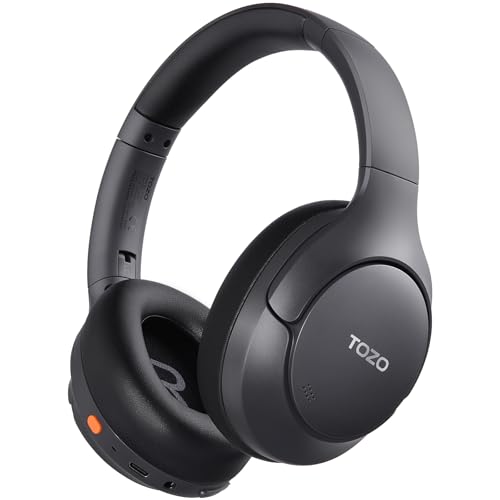
TOZO HT3 Hybrid Noise Cancelling Headphones, 90H Battery Life Wireless Over Ear Bluetooth 6.0 Foldable Headset, AI Voice Assistant with 5 Mics, Connect 2 Devices and Hi-Res Sound, 32 EQ Audio Presets
[45dB ANC & Hybrid Noise Cancellation] Enjoy unmatched tranquility with Adaptive ANC and Hybrid Noise Cancellation. Four high-sensitivity…
As an affiliate, we earn on qualifying purchases.
As an affiliate, we earn on qualifying purchases.
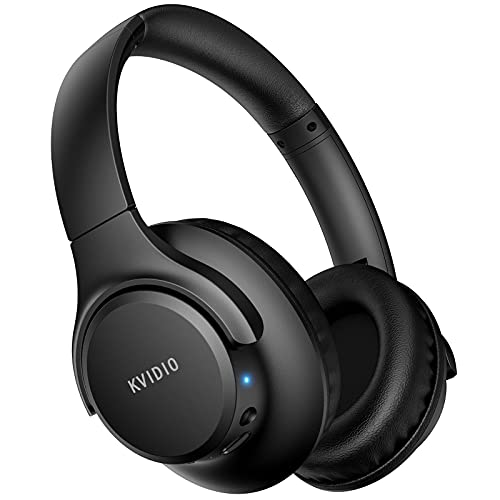
KVIDIO Bluetooth Headphones Over Ear, 65 Hours Playtime Wireless Headphones with Microphone, Foldable Lightweight Headset with Deep Bass, HiFi Stereo Sound Low Latency for Travel Work Cellphone
Stereo sound headphones: KVIDIO bluetooth headphones with dual 40mm drivers, offers an almost concert hall-like feel to your…
As an affiliate, we earn on qualifying purchases.
As an affiliate, we earn on qualifying purchases.